ADHD Home Office: Setups That Work With Your Brain
I was diagnosed with ADHD at 38, three years into working from home. Suddenly all my “productivity issues” had a name. The standard productivity advice that never worked for me (early waking, rigid schedules, willpower) now made sense why it failed.
Then I rebuilt my home office for an ADHD brain. The transformation was dramatic. Here is what works.
Why ADHD Home Offices Are Different
ADHD brains need different conditions:
- External structure: Replaces internal motivation
- Visual stimulation: Visible storage and reminders
- Movement options: Cannot sit still for hours
- Reduced distractions: But not sterile
- Body doubling: External focus support
- Fast feedback: Rewards and accountability
Standard “minimalist office” advice often fails ADHD. The right setup looks different.
According to research from CHADD, ADHD adults working from home need specific environmental modifications to compensate for executive function challenges. Without these modifications, productivity suffers significantly.
What Does an ADHD-Friendly Office Look Like?
An ADHD-friendly office combines visual stimulation (visible storage, color, plants), reduced distraction (clean main work area, noise-canceling), movement options (standing desk, fidget tools), external structure (timers, calendars, body doubling), and dopamine support (rewards, music, novelty). The setup is highly individual but follows these principles.
ADHD Office Setup Principles
Principle 1: Visible Storage
ADHD brains forget items they cannot see.
Use:
- Open shelving
- Clear bins
- Hooks on walls
- Pegboards
- Front-facing labels
- Glass containers
Avoid:
- Hidden drawers for daily-use items
- Identical opaque bins
- Tucked-away storage
Principle 2: Minimal Distractions in Main Work Zone
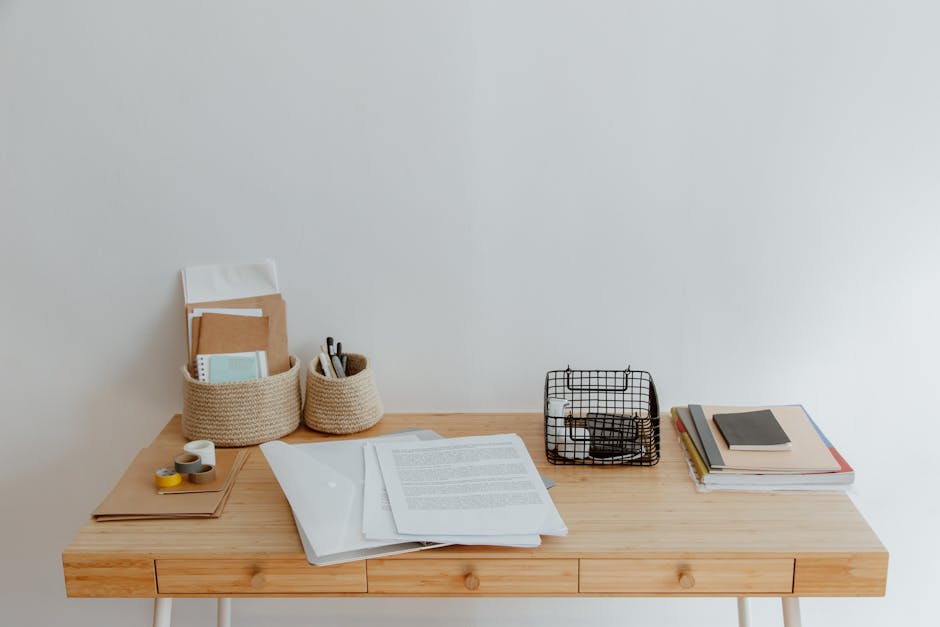
The actual desk should be uncluttered:
Use:
- Clear desk surface
- One item at a time
- Hidden cable management
- Plant for calm
Avoid:
- Notification-heavy phone on desk
- Random papers
- Decorative clutter
Principle 3: Movement Support
ADHD brains often need movement:
Use:
- Standing desk (alternative to sitting)
- Fidget tools
- Walking desk if possible
- Yoga ball for occasional sitting
- Movement breaks scheduled
For standing desk specifically, see our standing desk organization guide.
Principle 4: External Structure
Replace missing internal structure:
Use:
- Visual timers (Time Timer)
- Calendar visible
- Body doubling apps (Focusmate)
- Task lists (visible, not just digital)
- Schedule pinned to wall
Principle 5: Dopamine Support
ADHD brains run on dopamine:
Use:
- Music (familiar, not distracting)
- Plants (visual stimulation)
- Color (visual interest)
- Rewards built in
- Novelty within structure
Principle 6: Sensory Considerations
ADHD often has sensory needs:
Use:
- Noise-canceling headphones
- Soft lighting (not overhead fluorescent)
- Comfortable clothing
- Temperature control
- Texture variety
My ADHD Office Setup
After 2 years of refining mine:
Desk: Standing desk with monitor arm Chair: Yoga ball plus ergonomic chair Lighting: Warm LED at desk, natural window Storage: Visible bins, open shelving, pegboard above desk Distraction control: Noise-canceling headphones, phone in drawer Movement: Standing desk, walking pad option Accountability: Focusmate session 3x weekly Visual cues: Whiteboard with current priorities
Cost: Built over 18 months, total ~$1,500
What I Wish I Knew About ADHD Office
After 3 years post-diagnosis, here is what helped most.
Visual storage is the unlock. I used to hide everything in drawers. Forgot what I owned. Visible storage means actually using what I have.
Standing desk changed productivity. Sitting all day was excruciating. Standing/walking option doubled focus time.
Body doubling is real. Focusmate sessions get me through tasks I procrastinate forever.
Visual timer is non-negotiable. Phone timer doesn’t work; the Time Timer shows time passing.
Phone in drawer. When phone is on desk, attention drifts. In drawer, focus stays.
How Do You Stay Focused With ADHD?
Stay focused with ADHD through: external structure (timers, calendars), body doubling (focusing alongside others), task chunking (small steps), reward systems (immediate dopamine), elimination of distractions (phone away), and movement variation (standing, walking, fidgeting). ADHD focus comes from environment, not willpower.
ADHD-Specific Tools
Time Timer
Visual countdown display. Better than phone timer.
Cost: $30 to $50
Focusmate
Body-doubling video service. Schedule 50-minute focused sessions.
Cost: Free (with limits) or $5 to $15/month
Forest App
Focus app. Tree grows while you stay off phone.
Cost: Free or $1.99
Fidget Tools
For movement during focused work.
Cost: $10 to $30
Noise-Canceling Headphones
Reduce auditory distractions.
Cost: $50 to $300
Standing Desk
Movement variation throughout day.
Cost: $300 to $600
For more on standing desks, see our standing desk organization guide.
Schedule and Routine
ADHD routines need balance:
Structure: Same daily times for anchor activities Flexibility: Within structure, allow movement Body doubling: Schedule sessions in advance Time blocks: Specific tasks for specific times Movement built in: Walk breaks scheduled
For more, see our WFH morning routine and time blocking guides.
Task Management
For ADHD, traditional task systems often fail:
What Works
Visual task list: Whiteboard or sticky notes 3-item daily: Maximum focus, prevent overwhelm Time-blocked: Specific times for tasks Rewards: Built into completion Body doubling: Alongside others
What Fails
Endless task apps: Overwhelm No external accountability: Tasks never start Too many tasks: Decision fatigue Long blocks: Energy depletes Boring without dopamine: Tasks avoided
Common ADHD Office Mistakes
After multiple iterations:
Mistake 1: Hidden storage. Items forgotten.
Mistake 2: Phone on desk. Constant distraction.
Mistake 3: Trying to focus 8 hours. Burnout.
Mistake 4: Too sterile. No dopamine.
Mistake 5: No body doubling. Tasks never start.
For ADHD decluttering specifically, see our ADHD decluttering guide.
Sensory Considerations
For ADHD plus sensory sensitivities:
Sound
- Noise-canceling headphones
- White noise
- Familiar music
- Quiet environment
Light
- Soft warm lighting
- Avoid harsh fluorescents
- Natural light when possible
- Adjustable lamp
Texture
- Comfortable clothing
- Soft chair
- Texture variety (fidget tools)
- Items that feel good
Movement
- Movement breaks
- Standing desk
- Walking pad
- Fidget cubes
Communication Strategies
For ADHD professionals:
Schedule check-ins: Don’t drift Specific time blocks: For focused work Communicate ADHD needs: With understanding employers Body doubling colleagues: If possible
Working With Hyperfocus
ADHD can include hyperfocus periods:
Capture them: When focus hits, ride it Set boundaries: Don’t burn out Track patterns: Notice when hyperfocus arrives Reward: Acknowledge accomplishments
Working Through Distraction
When focus fails:
Body doubling: Bring in another presence Movement: 5-minute walk Task switching: Different but related task Forced focus: Pomodoro with timer Compassion: Don’t shame yourself
Self-Care for ADHD
Beyond office setup:
Sleep: Critical for ADHD function Exercise: Helps focus Diet: Stable blood sugar matters Medications: If prescribed, take consistently Therapy: ADHD coach or therapist Support: Community with others
Family Considerations
If working with kids around:
Schedule kid-free zones: Specific hours Kid-friendly office time: When supervised Communication: With partner about needs Educate kids: Age-appropriate
Investment Strategy
Build ADHD-friendly office gradually:
Year 1 ($300 to $600)
- Standing desk basic
- Quality headphones
- Visible storage
- Visual timer
- Calendar and whiteboard
Year 2 ($300 to $600)
- Better chair
- Body doubling subscription
- Improved storage
- Premium task tools
- Better lighting
Year 3+ ($300 to $600)
- Best monitors
- Premium accessories
- Specialty tools
- Sensory items
- Backup equipment
Key Takeaway
ADHD home offices need to work WITH your brain, not against it. Use visible storage (not hidden), minimize main work zone distractions, support movement (standing desk, fidget tools), provide external structure (timers, body doubling), and acknowledge dopamine needs (music, plants, color, rewards). Most “standard productivity advice” fails ADHD; build a setup that supports your specific brain. The setup takes 6 to 18 months to refine. The compound benefit: sustainable productivity, less shame, and a work life that actually works.
For related ADHD-specific resources, see our ADHD decluttering guide and time management approaches in our time blocking and WFH routine guides.

Frequently Asked Questions
How do you set up an ADHD-friendly office?
Set up an ADHD-friendly office with: visible storage (out of sight equals out of mind), minimal distractions, comfortable seating that allows movement, fidget tools, body-doubling options (video call with friend), defined work zones, and external structures (timers, calendars). The setup works WITH the ADHD brain, not against it.
Why are home offices hard for ADHD?
Home offices are hard for ADHD because: lack of external structure (no commute, no boss watching), distractions of home (laundry, dishes, snacks), executive function challenges (starting and switching tasks), time blindness (work fills the day without boundaries), and dopamine deficit (boring work feels especially boring at home).
What office tools help with ADHD?
Office tools that help with ADHD: visual timers (Time Timer brand), body-doubling services (Focusmate), task management apps (Things, Todoist), pomodoro timers, fidget tools, noise-canceling headphones, standing desk for movement, and brightly colored sticky notes for visual cues.